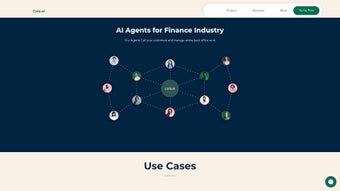

Download Cols AI – Human‑Like Voice Communication Platform for Business
Overview
Cols AI is an advanced, AI‑driven voice calling platform that transforms the way businesses interact with customers over the phone. Built as a web‑app, it delivers realistic, human‑like speech that can be customized to match brand tone, language, and industry‑specific jargon. Whether you run a real‑estate brokerage, a retail chain, a finance firm, or an automotive service center, Cols AI integrates seamlessly with existing telephone systems to manage inbound and outbound calls with precision.
The platform shines in personalization: AI voice agents can greet prospects by name, answer product questions, schedule appointments, and even process orders while pulling live data from your internal APIs. Real‑time analytics give you insight into call volume, conversion rates, and agent performance, allowing data‑driven decisions that boost sales and improve customer satisfaction. With multi‑language support, low latency, and the ability to connect to any external function, Cols AI is positioned as a secure, scalable, and future‑ready solution for any organization that relies on voice communication.
Core Features & Capabilities
- Human‑Like Voice Synthesis: Uses state‑of‑the‑art neural TTS models to generate natural speech in multiple languages and accents.
- Two‑Way Call Management: Handles inbound routing, outbound dialing campaigns, and automatic call distribution (ACD) from a single dashboard.
- Personalized Interaction Engine: AI agents can retrieve CRM data, address callers by name, and adapt scripts based on real‑time context.
- API & Function Integration: Connect voice agents to RESTful APIs for inventory checks, pricing updates, appointment calendars, and more.
- Multi‑Channel Analytics: Tracks call duration, drop‑off points, conversion metrics, and sentiment analysis for continuous improvement.
- Compliance & Security: End‑to‑end encryption, GDPR‑ready data handling, and audit logs for regulated industries.
- Scalable Architecture: Cloud‑native infrastructure that supports thousands of concurrent calls without degradation.
- Custom Voice Branding: Upload custom voice profiles or select from a library of pre‑made personas to match brand identity.
- Low Latency Call Routing: Optimized SIP trunking ensures sub‑second response times, critical for sales and support environments.
- Multi‑Language Support: Over 30 languages and dialects, enabling global outreach from a single platform.
Installation, Usage & Compatibility
Getting started with Cols AI is designed to be straightforward, even for teams without deep technical expertise. Follow these steps to download, install, and begin leveraging the platform:
- Create an Account: Visit the official Cols AI website, click “Sign Up,” and complete the registration form. A verification email will confirm your account.
- Choose Your Deployment Model: Cols AI offers both a cloud‑hosted SaaS option (recommended for quick start) and an on‑premises Docker container for organizations with strict data residency requirements.
- Download the Installer: For SaaS, no local download is needed—simply log in via a web browser. For on‑premises, download the Docker image from the secure portal and run
docker pull colsai/platform. - Configure Telephony Integration: In the admin console, add your SIP trunk credentials or connect to existing PBX systems (Asterisk, FreePBX, Cisco CUCM, etc.). The wizard guides you through mapping inbound numbers and outbound caller IDs.
- Set Up AI Voice Agents: Use the “Agents” tab to create new voice personas. Choose a language, select a voice model, and upload any custom voice scripts or brand guidelines.
- Connect APIs: Under “Integrations,” paste your API endpoints and authentication tokens. Test each call with the built‑in sandbox to verify data retrieval (e.g., inventory check).
- Launch a Campaign: Define target lists (CSV upload or CRM sync), configure dialing rules, and schedule outbound campaigns. Real‑time dashboards display call progress and conversion rates.
- Monitor & Optimize: Use the “Analytics” section to review call metrics, identify bottlenecks, and adjust AI scripts. Continuous learning loops improve response accuracy over time.
Cols AI is compatible with Windows 10/11, macOS 11+, Linux distributions (Ubuntu 20.04+), as well as mobile browsers on Android 8+ and iOS 13+. The web‑based interface works in Chrome, Edge, Firefox, and Safari, ensuring a consistent experience across devices.
Security updates are released monthly, and the platform supports single sign‑on (SSO) via SAML, OAuth, and Azure AD. For enterprises, role‑based access control (RBAC) lets administrators restrict permissions to call logs, agent creation, or billing information.
Pros, Cons, Frequently Asked Questions & Conclusion
Pros
- Highly realistic voice synthesis that feels genuinely human.
- Deep integration capabilities with existing CRMs, ERP systems, and custom APIs.
- Robust analytics suite for performance tracking and ROI measurement.
- Scalable cloud architecture—handles small teams to enterprise‑level call volumes.
- Multi‑language support and custom voice branding for global businesses.
- Secure, GDPR‑compliant data handling with end‑to‑end encryption.
Cons
- Initial setup of on‑premises deployment requires Docker knowledge.
- Advanced customization (e.g., complex API orchestration) may need developer resources.
- Pricing tiers are usage‑based, which could become costly for very high‑volume campaigns.
FAQ
Can Cols AI be used with my existing PBX system?
Yes. Cols AI supports SIP trunking and can connect to most on‑premises PBX solutions, including Asterisk, FreePBX, Cisco CUCM, and RingCentral. The integration wizard guides you through credential entry and call routing configuration.
Is there a free trial or a freemium version?
Cols AI offers a 14‑day free trial with full feature access. During the trial you can make up to 5,000 minutes of inbound/outbound calls and test all integrations without a credit card.
How does Cols AI ensure data privacy for sensitive industries like finance?
The platform encrypts all voice data in transit (TLS) and at rest (AES‑256). It complies with GDPR, CCPA, and industry‑specific standards such as PCI‑DSS. Role‑based access control and detailed audit logs give administrators full visibility over who accessed call recordings.
Can I customize the AI’s speaking style?
Absolutely. You can choose from a library of pre‑built voice personas or upload custom voice models. Adjust pitch, speed, and emotion parameters to align with your brand voice, and preview changes in real time.
What support options are available?
Cols AI provides 24/7 email and chat support for all paid plans, a dedicated technical account manager for enterprise customers, and a comprehensive knowledge base with tutorials, API docs, and community forums.
Conclusion & Call to Action
Cols AI stands out as a versatile, secure, and highly realistic voice communication platform that can elevate any business’s phone interactions. Its blend of human‑like speech, deep API integration, and powerful analytics makes it a compelling choice for sales teams, support centers, and service‑oriented enterprises. While the initial configuration may require a modest learning curve, the payoff—higher conversion rates, reduced operational costs, and a consistent brand voice—justifies the investment. Ready to replace static IVR menus with dynamic AI agents that sound truly human? Download Cols AI today and start your free trial to experience the future of voice communication.



.png)



